From Inspiration to Launch: A One-Week Shopify Store Case Study Using ThemeProbe to Find, Customize, and Ship a Theme
You know that moment when you land on a gorgeous Shopify store and think, how did they make it look so clean? ThemeProbe exists for exactly that curiosity. With ThemeProbe you paste any Shopify URL and instantly see the theme behind it. In this one-week case study, we go from inspiration to a live store by using ThemeProbe as our research compass, then selecting, customizing, and shipping a performant, conversion-ready Shopify theme.
Why move fast now? Shopify’s scale means you can stand up a brand that customers trust. The platform’s Q4 2024 investor deck reports over 875 million unique shoppers in 2024, millions of merchants in 175 plus countries, and more than 12 percent share of the US ecommerce market, which signals a trusted ecosystem and mature checkout performance for new stores to plug into. You can see these highlights in Shopify’s Q4 2024 investor deck.
Shopify’s checkout is also a conversion machine. The company explains in its enterprise blog that Shopify Checkout lifts conversions by up to 36 percent versus other platforms and that Shop Pay on top can lift conversion by as much as 50 percent compared to guest checkout. That is the kind of edge a young brand needs.
How ThemeProbe fits into the plan
ThemeProbe is intentionally simple. It tells you which theme a Shopify store appears to be running, without logins or heavy tracking. Your history is stored locally and you can read how data is handled in the privacy policy and terms of service. It is not a hacking tool and it is not perfect. Some stores run custom forks or private themes that detection tools cannot fully identify. That said, knowing whether a brand you love uses Dawn, Impulse, Prestige, or a boutique theme dramatically shortens your path to a great starting point.
The one-week build, day by day
The structure below is realistic for a solo founder or a small team. We used ThemeProbe throughout the week to guide theme selection, set a performance baseline, and benchmark competitors. You can adapt it to your niche and your product.
Day 1: Inspiration scan and shortlist with ThemeProbe
Start by building an inspiration board of 10 to 20 stores that match your design vibe or business model. Paste each URL into ThemeProbe and save the results. You will learn whether popular choices like Dawn or paid templates like Impact, Prestige, or Impulse dominate your niche. For patterns and process, the walkthrough in Shopify competitive benchmarking with theme detection shows how to turn casual browsing into structured research.
Look for recurring block patterns, navigation styles, and product page treatments. If five of your favorite references use the same theme family, you might have found a solid candidate that is already proven in your category.

Day 2: Choose a theme with clear criteria
Now move from inspiration to decision. Shopify’s marketplace lists hundreds of options, and the Shopify Theme Store advertises 800 plus free and paid themes, with prices commonly ranging from about 180 to over 400 USD. Based on your Day 1 notes, pick 2 or 3 finalists and evaluate them on:
- Performance and build quality. Modern Shopify themes built for Online Store 2.0 use JSON templates, app blocks, and modular sections to keep code maintainable. The Online Store 2.0 documentation outlines sections on every page and support for app blocks that keep theme code clean.
- Feature fit. Do you need visual storytelling, quick view, product filtering, or editorial layouts? Theme demos and preset variants often show real patterns for big catalogs vs boutique assortments.
- Support and updates. Theme partners with strong reviews and frequent updates reduce risk.
If you prefer a free baseline, Dawn remains a capable, fast foundation. If you need higher-end merchandising, paid options like Impact, Prestige, or Impulse are often chosen by visually led brands.
When your short list is ready, install your top pick in a trial store. If you are starting from scratch, begin a build with a free Shopify trial to add and test themes safely before going live.
Day 3: Customize with OS 2.0 sections and app blocks
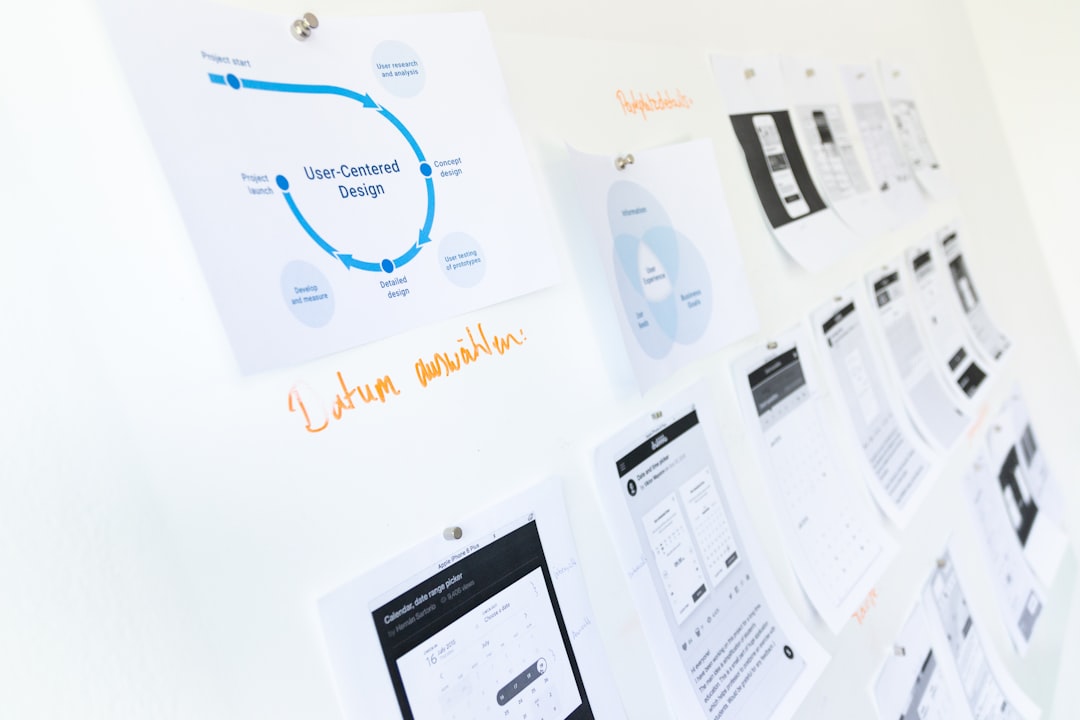
This is where your store starts to feel like yours. Online Store 2.0 lets you add sections on any template, not just the homepage, which makes it much faster to compose unique product, collection, and landing pages. The Online Store 2.0 guide explains how JSON templates and dynamic sources work, including connecting metafields to theme settings for flexible content.
Work through the theme editor with a few principles:
- Establish a simple type scale and a primary accent color. Keep contrast high for accessibility.
- Create a homepage hero that communicates your value proposition in a sentence and image. Avoid carousels at launch.
- On product pages, prioritize a clean image gallery, concise benefit bullets, clear sizing or specs, and social proof if available.
- Use app blocks instead of copying code. Many apps ship theme app extensions that drop into sections without editing theme files. This makes uninstall clean and reduces tech debt later.
Keep the first iteration focused. You can add megamenus, complex badges, and animation later. Today is about shipping a coherent, on-brand experience.
Day 4: Performance and SEO baseline
Speed earns revenue. Google’s research on Core Web Vitals calls for Largest Contentful Paint within 2.5 seconds, Cumulative Layout Shift under 0.1, and Interaction to Next Paint under 200 milliseconds. Even small gains matter. The Deloitte study summarized on web.dev’s Milliseconds make millions case study found that improving mobile site speed by just 0.1 seconds can lift retail conversion rates by 8.4 percent.
Run Lighthouse in Chrome on a few key templates. Then apply low-effort, high-impact fixes, many of which are listed in the Shopify Theme Speed and SEO Playbook:
- Replace oversized hero images with optimized WebP or AVIF at appropriate breakpoints.
- Remove unused apps and snippets that inject render-blocking scripts.
- Lazy load below-the-fold media and defer non-critical JavaScript.
- Limit custom fonts to 1 or 2 weights and use font-display swap.
For SEO, Shopify covers the basics. Your sitemap is generated automatically and you can customize crawl rules with robots.txt.liquid. Keep URLs clean, write unique titles and descriptions in the theme editor or bulk editor, and ensure each collection and product has descriptive copy and alt text.

Day 5: Checkout, payments, and trust
Turn on Shop Pay if you are eligible. In its enterprise blog, Shopify reports that Shop Pay can lift conversion by up to 50 percent compared to guest checkout, and that its checkout outperforms alternatives by up to 36 percent. That is the easiest win in your stack.
Round out trust signals:
- Configure taxes and shipping rates clearly to reduce surprises in cart.
- Publish plain-language policies for shipping, returns, and privacy.
- Add badges only where they help. Focus more on clear copy than on clutter.
Shopify’s theme copy typically includes discount fields, gift cards, and local pickup out of the box, so lean on defaults where possible and avoid heavy customizations until you are selling.
Day 6: Merchandising, content, and analytics
Create 3 to 5 story-driven sections on the homepage that guide first-time visitors from problem to solution. Curate collections with sharp thumbnails and consistent aspect ratios. On product pages, lead with benefit bullets above the fold and deeper details below. Use metafields to power size guides, materials, or care instructions so content stays structured.
Add analytics that you will actually use. Shopify’s reporting is robust and the company’s benchmarking article on conversion explains that the top 20 percent of Shopify stores convert at 3.2 percent or higher, with 4.7 percent in the top 10 percent. Early in your journey, focus on sessions, add-to-cart rate, conversion rate, and average order value rather than vanity metrics.
Day 7: QA, launch checklist, and go live
Before you ship, walk the store like a customer on three devices and two browsers. Test guest checkout and Shop Pay. Trigger cart and checkout with free test products or discount codes. Confirm your sitemap lives at your root domain and that robots.txt is not blocking primary templates.
Connect your domain, set your password to off, and place a small real order to verify transactional emails and fulfillment flow. Finally, push your inspiration journey forward by saving a few more references in ThemeProbe to spark future design sprints.
What changed by using ThemeProbe
ThemeProbe saved hours that we might have spent wandering the theme store without direction. Seeing which themes showed up across our inspiration set gave us confidence that our short list would translate to our category. Using a focused detection tool also amplified our competitive research. You can turn the same approach into a repeatable process with the playbook in Shopify competitive benchmarking with theme detection.
The tool stays lightweight, privacy-conscious, and sets expectations clearly. Detection will not always be perfect on heavily customized or private themes, and the site documents use boundaries and accuracy caveats in the terms of service.
Practical tips that paid off
- Pick a theme that 80 percent fits your needs, then ship. OS 2.0’s sections and app blocks let you evolve without breaking your base. The theme architecture explained by Shopify helps you understand what the theme can and cannot do.
- Optimize images first. It is the single biggest performance lever. Google’s Core Web Vitals overview makes clear that LCP images are often the bottleneck.
- Trust Shopify’s defaults for SEO primitives. Your sitemap.xml is auto generated and robots.txt.liquid is editable, so you can focus on unique titles, descriptions, and internal linking.
- Use Shop Pay if available. The study cited in Shopify’s checkout article shows the conversion lift is material.
- Benchmark and revisit. The millisecond gains from the Milliseconds make millions study are a reminder to treat speed as an ongoing program, not a one-time task.
Your next step
If you are exploring themes today, start with a quick scan in ThemeProbe to see what top stores in your niche are using. Then try a live install of your front runner during a Shopify free trial to pressure test features and speed before you commit.
The shortest path from wow that store is beautiful to my store looks that good is a focused tool, a modern Shopify theme, and a one-week plan that protects your time and attention. ThemeProbe keeps the research fast and fun so you can get back to building. Happy launching 🚀